How to delete your Nutrimate account
Follow these steps in the Nutrimate app to delete your account and associated data.
Step 1: Log in
Open the Nutrimate app and log in with your phone number (or your usual login method).
Step 2: Go to Profile
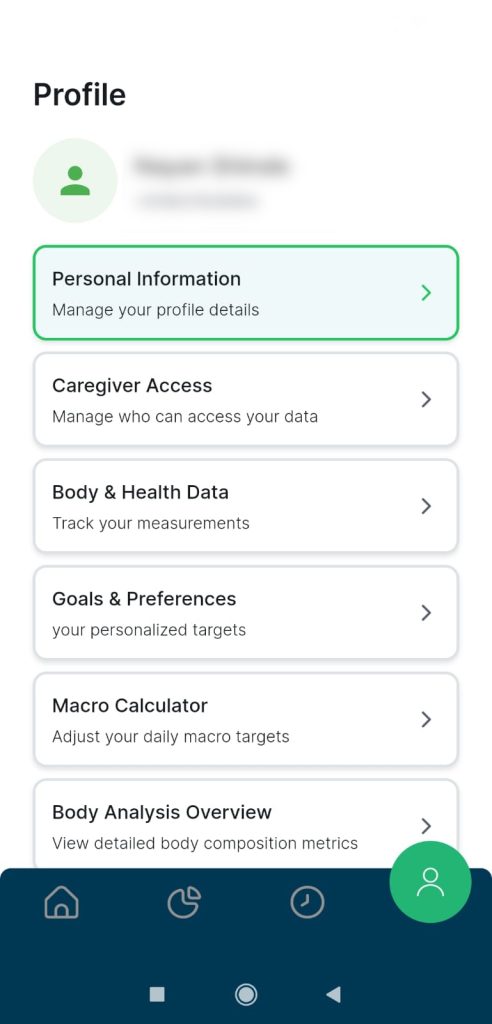
From the bottom navigation bar, tap the Profile tab (person icon in a green circle) to open your profile screen.
Step 3: Delete your account
Scroll down on the Profile screen until you see the account actions. Tap the red Delete Account button.
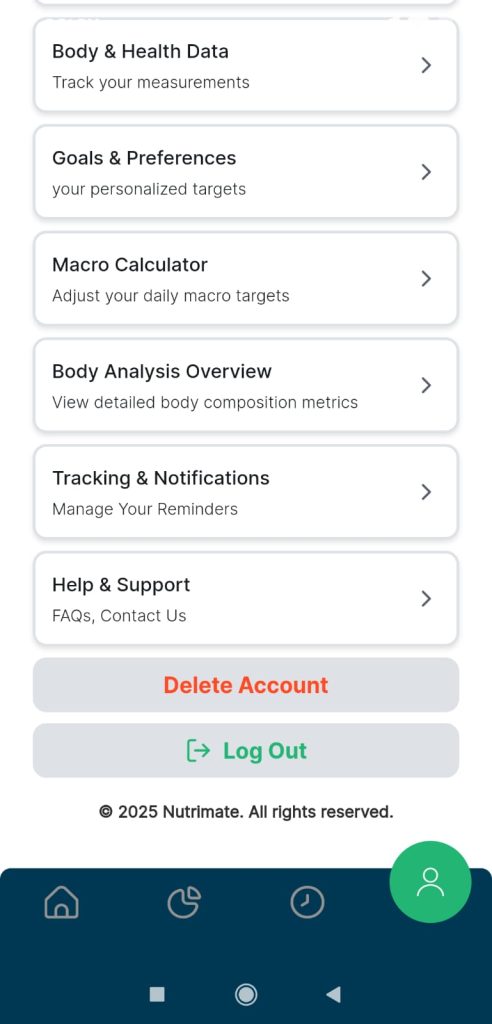
Complete any confirmation steps shown in the app to permanently delete your account and data.