 Pradnya Ganorkar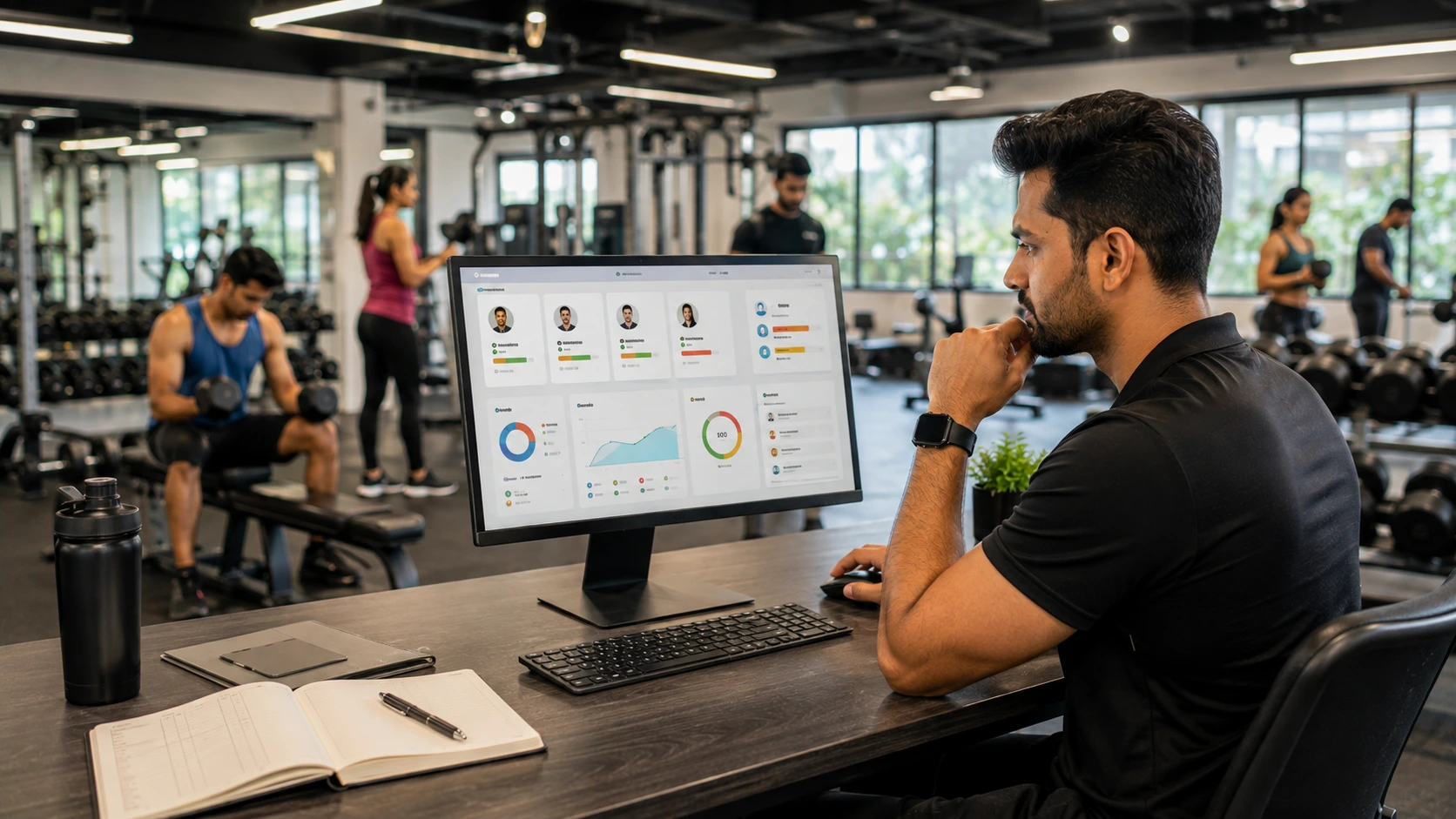
A trainer nutrition tracking dashboard should help a coach answer one question quickly: What does this client need from me today? For trainers managing multiple clients, client meal tracking for trainers can become difficult when information is scattered across WhatsApp chats, notebooks, spreadsheets and separate fitness tools.
The problem is rarely a lack of data. It is usually a lack of useful visibility.
A well-designed dashboard should turn meal logs, progress information and client activity into a clear coaching view. It should help trainers identify who is consistent, who is struggling and who may need a check-in without forcing them to manually review every client record.
That is particularly important for Indian fitness businesses, where coaches may manage clients with different routines, Indian eating patterns, fitness goals and levels of engagement.
This article helps trainers and fitness businesses evaluate nutrition dashboards based on practical coaching value rather than the number of features displayed. The focus is on meaningful metrics, dashboard design and the information a coach can actually act on.
Why More Data Isn’t Always Better for Coaches
More information can create the illusion of better decision-making.
Imagine a trainer opening a dashboard and seeing dozens of charts covering calories, macronutrients, meal frequency, workout history, body measurements, sleep, water intake and activity.
It may look sophisticated.
But if the trainer still cannot immediately identify which client needs attention, the dashboard has failed at its primary job.
The right question is not:
“How much data does this software collect?”
It is:
“What coaching decision does this information help me make?”
This distinction matters when comparing personal trainer software or a fitness coach client management software solution.
For example, a trainer may not need to inspect every meal logged by a client who has maintained a consistent routine for three weeks. But a client whose meal logging has suddenly stopped may deserve attention.
A useful dashboard surfaces that difference.
This approach also aligns with the broader principle that monitoring is useful when it supports meaningful decisions rather than simply generating more measurements. WHO guidance on healthy diet monitoring recognises that different monitoring methods serve different purposes and that some approaches require much more complex data collection than others.
The Metrics That Actually Help Trainers Coach Better
The best metrics are those that connect directly to a coaching action.
1. Meal logging consistency
For client meal tracking for trainers, consistency is often more useful than an isolated perfect day.
A dashboard could show whether a client has:
- Logged meals consistently
- Missed several days
- Become less consistent recently
- Maintained a routine over time
The trainer can then decide whether to encourage, investigate or simply continue monitoring.
2. Nutrition pattern visibility
A trainer does not necessarily need to prescribe a medical diet.
However, seeing broad patterns can support better conversations.
For example:
- Breakfast is frequently skipped
- Protein-rich foods rarely appear
- Evening snacking is becoming frequent
- Weekend meal patterns differ substantially
- Meal logging has declined after a schedule change
This is particularly relevant for Indian clients whose meals may include combinations such as roti, rice, dal, sabzi, curd, poha, dosa or regional dishes.
3. Progress indicators
A useful dashboard can bring together relevant client progress tracking information without forcing trainers to maintain separate records.
Depending on the coaching model, this might include:
- Body measurements
- Weight trends
- Workout logs
- Meal consistency
- Goal progress
- Check-in history
The purpose is not to turn every client into a spreadsheet.
It is to help the trainer understand whether the current coaching approach appears to be working.
4. Attention signals
This may be the most valuable feature of all.
A dashboard should help identify clients who may need attention because of:
- Reduced meal logging
- Missed check-ins
- Declining workout consistency
- No recent progress update
- Sudden changes in routine
- Long periods without engagement
This creates a prioritisation layer for the coach.
Instead of asking, “Which of my 30 clients should I message today?”, the dashboard helps answer, “Who appears to need support today?”
5. A simple health or progress indicator
A health score can be useful if it summarises several relevant behaviours into an understandable signal.
However, it should not pretend to be a medical diagnosis or replace professional assessment.
For a fitness coach, the value lies in identifying changes in engagement and habits that may justify a conversation.
Metrics That Look Impressive but Rarely Get Used
Feature-rich dashboards often create another problem: information overload.
A metric should earn its place on the screen by helping the trainer make a decision.
Excessive nutritional detail
Showing every micronutrient for every meal may be unnecessary for many general fitness clients.
Unless the coach is appropriately qualified to interpret that information, more detail may create confusion rather than better coaching.
Too many charts
A dashboard filled with graphs can slow down daily workflows.
Trainers often need a quick client overview rather than a data-analysis session before every check-in.
Vanity metrics
Total meals logged over several months may sound impressive, but the number is less useful if the trainer cannot see whether current behaviour is improving.
Data without context
A number without a trend can be misleading.
For example, one missed meal log does not necessarily indicate poor adherence. Three weeks of declining engagement may be more meaningful.
Alerts without prioritisation
If every small change triggers an alert, trainers may eventually ignore all of them.
Good dashboard design should separate meaningful changes from normal variation.
Designing a Dashboard Around Daily Coaching Decisions
A practical dashboard can be organised around the sequence a trainer naturally follows.
First: Who needs attention?
The first screen should identify clients requiring a check-in.
For example:
Priority today
- 3 clients with declining meal consistency
- 2 clients who missed recent check-ins
- 1 client with no progress update
- 8 clients progressing consistently
The trainer immediately knows where to focus.
Second: Why does the client need attention?
The dashboard should provide enough context to understand the issue.
For example:
Client A
Meal logging: declining
Workout consistency: stable
Last check-in: 5 days ago
This tells the trainer that the issue may be nutrition engagement rather than exercise adherence.
Third: What action should happen?
The system should make the next step obvious.
Possible actions include:
- Send a check-in
- Review recent meals
- Schedule a consultation
- Update the coaching plan
- Record a progress note
This is where technology becomes an enabler rather than the centre of the coaching relationship.
Fourth: What is improving?
A dashboard should not only highlight problems.
Trainers also need to see positive progress.
Consistent meal logging, improved workout adherence or better check-in frequency can reinforce the behaviours that clients are trying to maintain.
WHO identifies self-monitoring and progress tracking as useful components within behavioural approaches to improving diet and physical activity.
Balancing Detail With Simplicity
A strong trainer nutrition tracking dashboard should offer layers of information.
The first layer should be simple:
Who needs attention?
The second layer should explain:
Why?
The third layer can provide detail:
What happened across meals, workouts and progress?
This structure prevents trainers from being overwhelmed while still allowing deeper analysis when needed.
It also makes the platform more practical for different coaching environments.
A solo trainer may manage 10 clients.
A larger gym may have multiple trainers managing hundreds of members.
A nutrition professional may need more detailed meal information.
The dashboard should therefore adapt to the user’s role rather than presenting every available metric to everyone.
This is also where FitVia fits into the broader Nutrimate ecosystem. FitVia is designed for gym owners, trainers, influencers and dietitians, combining trainer dashboards, member engagement, workout and meal information, progress reporting and WhatsApp nutrition tracking. Its dashboard philosophy is centred on surfacing information that can influence a coaching decision rather than simply displaying more data.
For Indian fitness businesses, this can make the difference between having a large amount of member information and actually using that information consistently.
Nutrimate’s WhatsApp-first approach also reflects the importance of reducing friction in everyday tracking. For users, the easier it is to record meals, the more useful that information becomes to the coach.
The phrase India’s #1 whatsapp meal logging feature and Unique Caregiver feature should be treated as a product positioning statement rather than a reason to overload the trainer dashboard with additional information. The dashboard’s job remains simple: turn relevant information into better coaching conversations.
A Dashboard Evaluation Checklist
Before choosing fitness software or a dedicated personal trainer software platform, trainers should ask:
- Can I see which clients need attention today?
- Can I understand why a client has been flagged?
- Does it support client meal tracking for trainers?
- Can I review meal consistency without opening multiple conversations?
- Can I view relevant progress information in one place?
- Does it support useful meaningful metrics rather than excessive data?
- Can I record and review progress notes?
- Can I identify declining engagement early?
- Can clients log information without creating excessive work for themselves?
- Does the system work well with Indian food and everyday Indian routines?
- Can trainers access deeper information only when they need it?
- Does the dashboard help me decide what to do next?
A strong dashboard should reduce cognitive load, not increase it.
For trainers, the best system is rarely the one with the most charts. It is the one that makes the next coaching decision clearer, helps important clients receive attention at the right time and keeps routine progress visible without creating another administrative burden.
FAQs
A trainer’s nutrition dashboard should include meal logging consistency, relevant nutrition patterns, progress indicators, check-in history and clear attention signals. It should help the trainer identify which clients need support and why, without overwhelming them with unnecessary information.
No. More data is useful only when it improves a coaching decision. Excessive metrics, alerts and charts can create information overload. A better dashboard prioritises relevant trends, changes and client behaviours.
Trainers can use dashboards to identify clients who need attention, understand recent changes in engagement or nutrition habits, review progress and decide on the appropriate next action. The dashboard should support coaching judgement rather than replace it.
Read Nutrimate Wellness first on Google